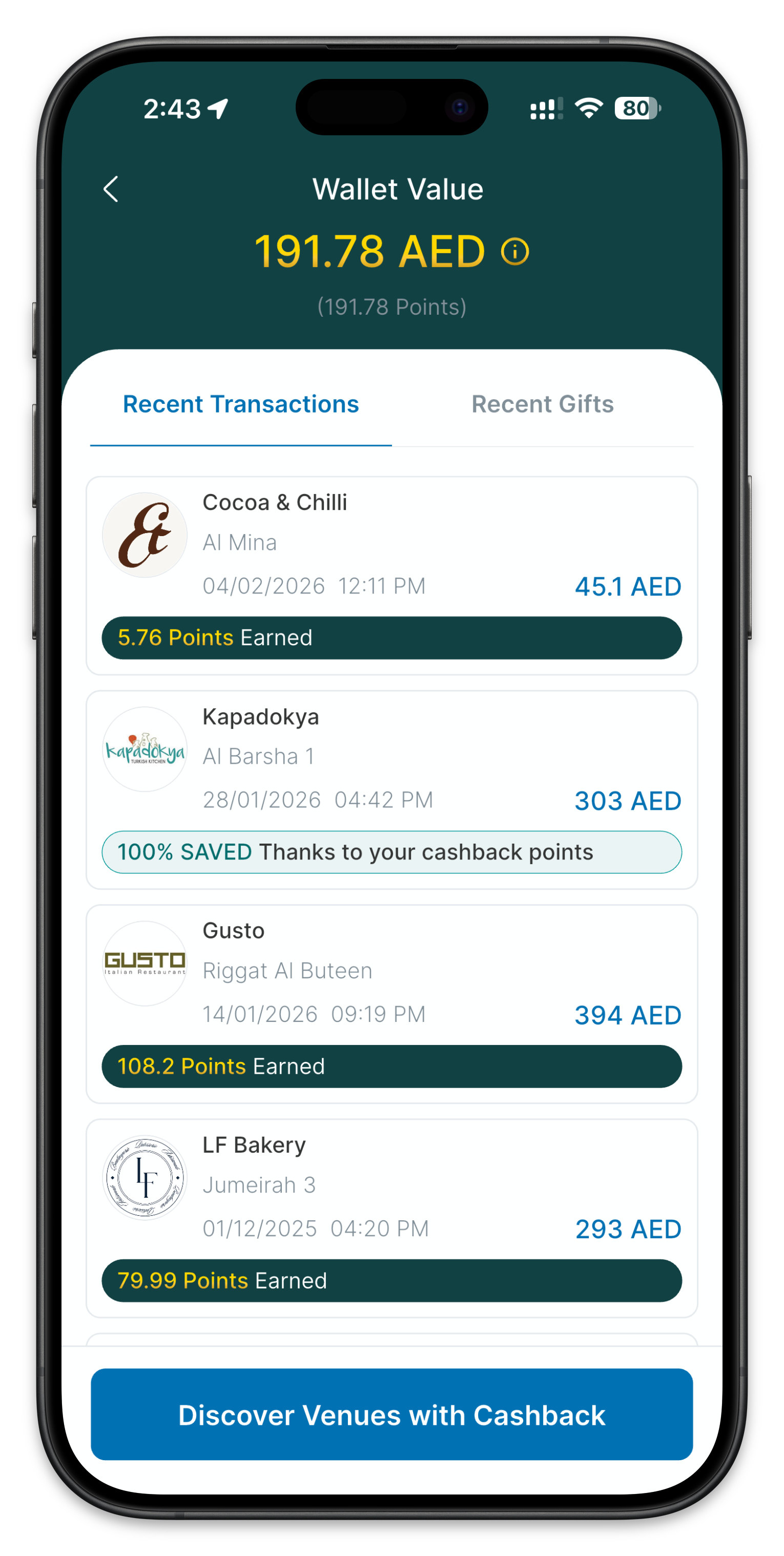
How to Pay with Places UAE and Get Your Cashback: Step-by-Step
One of the most common questions from new users is simple: once you've picked a restaurant on Places UAE, how do you actually pay, and how does the cashback get calculated? Here is the exact process, step by step.
Step-by-Step Payment Process
Cashback on Places UAE only applies when you pay through the app — there is no card-linking option that tracks spend automatically. Here is exactly how it works:
- Reserve or walk in as normal. There is no need to show a voucher or code before your meal.
- Order from the full menu. Cashback applies regardless of what you order — there are no restricted items at most participating restaurants.
- Ask for your bill as usual at the end of the meal, and tell your waiter you're paying with Places UAE.
- Let the restaurant process the payment. The waiter takes payment through their own system as normal.
- Give your waiter the 4-digit PIN shown in your Places UAE app to confirm the transaction. This PIN is what links the payment to your account and triggers your cashback.
- Cashback is calculated on your total bill at the restaurant's listed percentage and credited to your Places UAE wallet.
Why There's No Card-Linking Option
Unlike some rewards platforms, Places UAE does not automatically detect spend through a linked bank card. Cashback is only issued for payments confirmed through the app's 4-digit PIN process at the restaurant. This means the PIN step is not optional — skipping it means the restaurant has no way to attribute the payment to your Places UAE account, and no cashback will be credited.
What If My Cashback Doesn't Show Up?
If cashback does not appear in your wallet after a reasonable processing window, check the following:
- Confirm you gave the waiter your 4-digit PIN after payment was processed, not before.
- Confirm the restaurant was a genuine participating venue at the time of your visit — cashback partnerships can be added or removed.
- Check whether the restaurant had a minimum spend or specific applicable days/hours listed on its cashback terms.
- Contact Places UAE support with your receipt if the cashback still hasn't appeared after 24 hours.
Frequently Asked Questions
Do I need to show anything to the waiter to get cashback?
Yes. Tell your waiter you're paying with Places UAE before the bill is settled, and give them the 4-digit PIN from your app once the payment has been processed. Without the PIN, the transaction cannot be matched to your account.
Can I link my bank card to earn cashback automatically?
No. Places UAE does not support automatic cashback through a linked card. Cashback is only earned when you pay in-app or confirm your restaurant payment with your 4-digit PIN.
Is cashback calculated before or after tax and service charge?
This can vary by restaurant. Check the specific venue's terms in the app, as some calculate cashback on the pre-tax subtotal and others on the total bill including service charge.
How long does it take for cashback to appear in my wallet?
Typically minutes to a few hours after your payment is confirmed with your PIN, though this can vary by restaurant.
Can I split the bill and still get cashback?
Generally yes, but each diner paying separately will need to give their own 4-digit PIN for their portion of the payment. Confirm with the specific restaurant if you're unsure how they handle split bills.
New to the platform? Start with our complete guide to using the Places app, or browse the top cashback restaurants in Dubai.
Get Cashback at 200+ Dubai Restaurants
Pay your bill through the Places app and up to 50% comes back as cashback credit. No coupons, no vouchers. Free to download.